Keep your screen awake. Stay always online
MacMouseJiggler is a lightweight macOS app that prevents your screen from sleeping by simulating mouse movement.

Native and lightweight
Minimal resource usage.
Maximum functionality.
Smooth experience, no bloat.
Affordable
Cheap and simple.
No subscriptions.
No hidden costs.
Focus on what matters
Prioritize your tasks, not
the pressure to always be online.
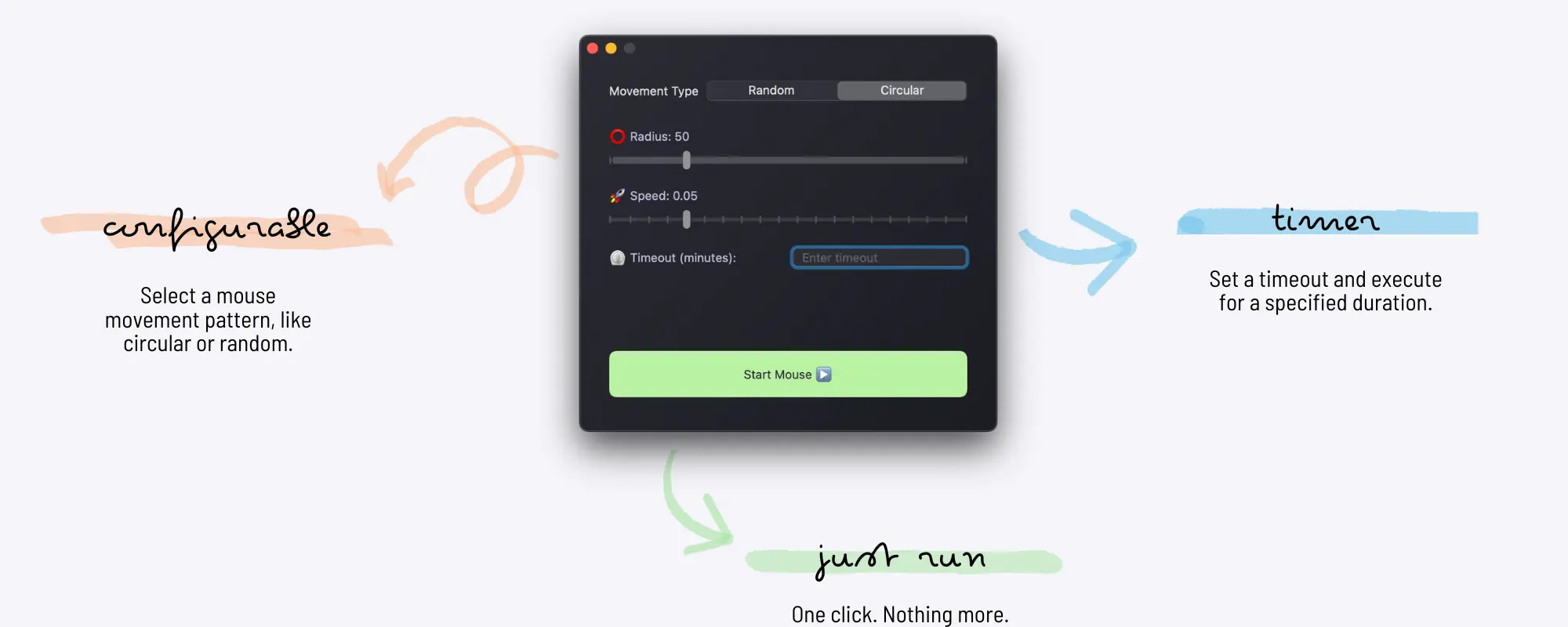
Keep your screen awake and maintain your online status in messaging apps effortlessly.
MacMouseJiggler is a lightweight macOS app that simulates mouse movement to keep your screen awake.
It subtly moves the cursor to maintain your online status in messaging apps.
This mouse jiggler for macOS runs with minimal resource usage, allowing you to focus on your tasks.
Unlike complex setups or third-party tools, MacMouseJiggler provides a simple way to prevent your screen from timing out.
Roadmap
First Release
Initial release with core mouse jiggling functionality
Background mode
Background status and actions
Custom shortcut
Customizable keyboard shortcuts for toggling jiggler
Advanced Settings
Configurable intervals and movement ranges
What's next?
More features and improvements
Get it now
MacMouseJiggler Trial
Try before you buy- Prevent screen lock & sleep mode
- 10 minutes limit per session
- No keyboard shortcuts
- No custom timeout settings
- Requires macOS 13 or later
MacMouseJiggler Pro
Full features unlocked- Prevent screen lock & sleep mode
- Unlimited usage time
- Customizable keyboard shortcuts
- Custom timeout settings
- Multiple seats
- Lifetime updates
- Requires macOS 13 or later